
Best Branding Tools for 2026 [Top 10 With Pricing]
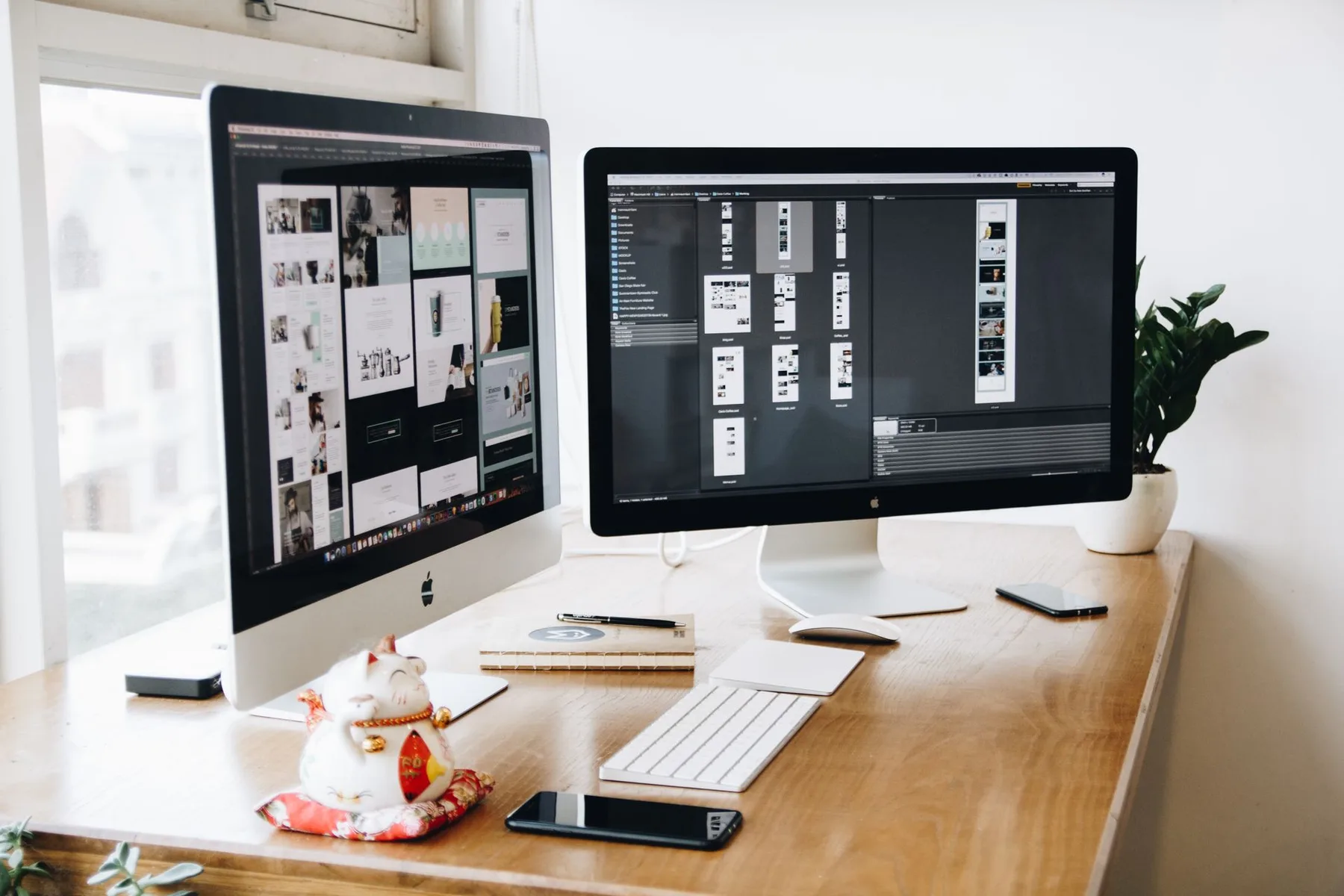
The 10 best branding tools for 2026 — Canva, Figma, Frontify, Looka, Coolors, Hootsuite, Brand24, Mailchimp and Webflow — ranked by job and price, each paired with a custom, owned alternative you can build instead.
The best branding tools in 2026 fall into six jobs — design, brand asset management, social, monitoring, email, and web — and most teams run four to eight of them. Below we rank ten tools businesses actually use, with current pricing, and pair each with the custom, owned alternative MarkAge360 can build so you stop renting your brand and start owning the workflow, the data, and the code.
What Are the Best Branding Tools in 2026?
The best branding tools cover six jobs: creating assets with design and vector tools, managing them in a DAM or brand portal, and distributing your brand across web, email, social, and monitoring. No single product does all six well, so most businesses stitch together a stack — and pay a per-seat or per-contact fee for each one, every month, forever.
These branding tools for business range from free tiers to five-figure enterprise contracts. Below you'll find a quick-reference comparison table and all ten tools reviewed in depth, mapped to the six jobs a complete stack must cover.

- Design and vector — create on-brand graphics and scalable logos (Canva, Figma, Adobe Illustrator).
- Brand asset management — govern and distribute the right assets (Frontify, Bynder, or a custom portal).
- Identity and color — generate a mark and a palette (Looka, Coolors).
- Web — the brand's home online (Webflow).
- Email — on-brand campaigns and automations (Mailchimp).
- Social and monitoring — publish and listen (Hootsuite, Brand24).
| # | Tool | Category / job | Starting price (2026) | Best for |
|---|---|---|---|---|
| 1 | Canva | All-purpose design & brand kit | Free · Pro $15/mo | On-brand social & decks, fast |
| 2 | Adobe Illustrator | Pro vector & logo design | From $22.99/mo (single app) | Scalable, print-ready logos |
| 3 | Figma | Design systems & UI | Free · Pro $16/seat/mo | Teams building a design system |
| 4 | Frontify | Brand asset management (DAM) | Custom (~$8K–$15K/yr) | Consistency at scale |
| 5 | Looka | AI logo + starter kit | $65 one-time · kit $96/yr | A fast, cheap logo |
| 6 | Coolors | Color palette generation | Free · Pro $4.99/mo | Quick color ideation |
| 7 | Hootsuite | Social media management | $99/user/mo (Standard) | Branded social at scale |
| 8 | Brand24 | Brand monitoring & sentiment | $199/mo (Individual) | Tracking mentions |
| 9 | Mailchimp | Email marketing | Free · Essentials $13/mo | Branded email + automation |
| 10 | Webflow | Brand website + CMS | Basic $15/mo · Premium $25/mo | Designer-built sites, no code |
All prices are USD, as of July 2026, and reflect the entry paid tier where relevant. Vendor pricing changes often, so confirm current rates before you buy.
The 10 Best Branding Tools Reviewed for 2026
Here are the ten branding tools businesses actually use in 2026 — what each does, current pricing, who it suits, and its main limitation — each paired with the custom-built alternative you can own outright instead.
1. Canva — All-Purpose Design and Brand Kit
Canva is a drag-and-drop design platform with thousands of templates, a Brand Kit for logos, colors and fonts, Magic Studio AI, and a built-in scheduler — the default first tool for small teams. Pricing (as of July 2026): Free; Pro $15/mo; Business $20/user/mo; Enterprise custom. Best for: non-designers making on-brand social and decks fast. Limitation: per-seat costs scale with headcount, template ubiquity breeds a generic "Canva face," and your Brand Kit lives on Canva's cloud.
The custom-build alternative: MarkAge360 builds a branded template engine you own — locked, on-brand templates rendered from your real logo, color and type tokens through a simple internal UI, hosted on your infrastructure. No per-seat fees as the team grows, no "Canva face," and every asset lives in your storage. Add once, use forever.
2. Adobe Illustrator — Professional Vector and Logo Design
Illustrator is the industry-standard vector editor for logos, icons and print-ready artwork that scales infinitely, now with generative recolor and Firefly AI. Pricing (as of July 2026): single app about $22.99/mo (annual); Creative Cloud All Apps $54.99/mo; Illustrator for teams $37.99/user/mo. Best for: designers crafting scalable, print-safe brand marks. Limitation: a steep learning curve, one of the pricier subscriptions, and subscription lock-in — stop paying and you lose the tool.
The custom-build alternative: The design craft stays with expert designers, but MarkAge360 productizes the output — a bespoke brand-asset pipeline that auto-generates every logo variation, favicon, avatar and file format from one master mark, plus a delivery portal. You own the vector source and the pipeline outright, with no monthly rent to keep access.
3. Figma — Design Systems and Collaborative Brand Work
Figma is a browser-based collaborative design tool where modern teams build a reusable design system — components, variables and tokens — with real-time multiplayer editing and Dev Mode handoff. Pricing (as of July 2026): Free; Professional $16/seat/mo; Organization $55/seat/mo; Enterprise $90/seat/mo. Best for: product and brand teams maintaining one source-of-truth system. Limitation: seat pricing balloons as you grow, AI features are metered by credits, and the system lives in Figma's cloud.
The custom-build alternative: MarkAge360 ships your design system as real code — a token library and component set wired straight into your site and app, so brand colors, type and spacing propagate from a single source of truth you host. No $16–$55-per-seat tax as the team scales, and nothing trapped in a third-party cloud.
4. Frontify — Brand Asset Management and Guidelines
Frontify is a brand-management platform that hosts your living guidelines, digital asset library and locked templates in one governed portal, with AI search and approval workflows. Pricing (as of July 2026): sales-led, based on monthly active users — growth-tier list pricing typically runs about $8,000–$15,000 a year for 10–25 users. Best for: enforcing brand consistency at scale. Limitation: opaque, expensive contracts, and your entire brand system is hosted on their platform — the sharpest lock-in on this list.
The custom-build alternative: This is the strongest build-versus-buy case. MarkAge360 builds a branded portal hosting your guidelines, a searchable, permissioned asset library and locked templates — on your domain and your database. No five-figure annual contracts, no vendor holding your brand hostage, with access rules shaped to your exact team, agency and partner structure.
5. Looka — AI Logo Maker and Starter Kit
Looka is an AI logo generator: answer a few prompts, get dozens of machine-made options, then buy the files and an auto-built starter brand kit. Pricing (as of July 2026): Basic logo $20 one-time; Premium logo $65 one-time; Brand Kit subscription $96/yr; Kit plus Website $129/yr. Best for: pre-revenue startups needing a logo today on a shoestring. Limitation: AI output is templated and generic — thousands of businesses generate lookalike marks — and it is not a strategic, defensible identity.
The custom-build alternative: Instead of a templated mark thousands share, MarkAge360 builds a private generation-plus-human-refinement pipeline that produces originals tied to your strategy — or simply delivers a genuine bespoke identity. You own the assets and the workflow, with no recurring fee to keep your own brand kit.
6. Coolors — Color Palette Generation
Coolors is a fast palette generator and explorer — cycle palettes with the spacebar, extract colors from images, and check contrast and accessibility. Pricing (as of July 2026): Free with ads; Pro $4.99/mo — the cheapest tool on this list. Best for: quick color ideation early in a brand project. Limitation: a palette is not a color system — no usage rules, no semantic tokens, no cross-product governance, and it is not wired into your actual product.
The custom-build alternative: MarkAge360 turns a palette into an operational color system — semantic tokens, light, dark and accessibility-checked variants, usage rules, and the values wired directly into your product, site and templates. It lives in your codebase, not behind a web app that only ideates and never operationalizes.
7. Hootsuite — Social Media Management
Hootsuite is a social-management hub to schedule, publish and monitor brand content across networks from one dashboard, with approvals, analytics and AI caption tools. Pricing (as of July 2026): Standard $99/user/mo; Professional $199/user/mo; Advanced $399/user/mo; Enterprise custom (annual billing). Best for: teams running multi-channel social at scale. Limitation: expensive per-seat with steep tier jumps, and your calendar, audience and analytics all live inside Hootsuite.
The custom-build alternative: MarkAge360 builds an owned publishing and scheduling dashboard on the platform APIs — your content calendar, approval workflow and analytics in your database, integrated with your CRM. No $99–$399-per-seat rent, no feature paywalls, and your audience data stays yours.
8. Brand24 — Brand Monitoring and Sentiment
Brand24 is a social-listening tool that tracks mentions of your brand across social, news, blogs and reviews, with sentiment analysis, alerts and AI insights. Pricing (as of July 2026): Individual $199/mo; Team $299/mo; Pro $399/mo; Business $599/mo; Enterprise from $1,499/mo. Best for: SMB-to-mid brands tracking reputation and sentiment. Limitation: hard mention and keyword caps push you up-tier fast, and your historical mention archive is locked to their platform.
The custom-build alternative: MarkAge360 builds a brand-monitoring dashboard that ingests mentions and reviews, runs AI sentiment and summarization, and fires alerts wired into your Slack, CRM and support desk — with your alert logic and no keyword caps. The historical archive is yours, queryable and unlimited.
9. Mailchimp — Email Marketing and Brand Touchpoints
Mailchimp is an email platform for branded newsletters, campaigns and automations — one of the most recognizable ways businesses keep a consistent voice in the inbox. Pricing (as of July 2026): Free (limited); Essentials from $13/mo; Standard from $20/mo; Premium custom — priced on total contact count. Best for: SMBs running branded email plus basic automation. Limitation: cost scales aggressively with list size and counts unsubscribed contacts, and your audience data sits in Mailchimp's silo.
The custom-build alternative: MarkAge360 builds an owned email and automation layer on a transactional backbone you control, with your audience in your own database — priced on send volume, not padded contact counts, and never taxed for unsubscribed records. Templates match your identity exactly and the customer data is yours.
10. Webflow — Brand Website and CMS
Webflow is a visual, no-code website builder that outputs production-grade sites with a built-in CMS — where designers ship a fully branded marketing site without hand-coding. Pricing (as of July 2026): Starter free; Basic $15/mo; Premium $25/mo (full CMS); Enterprise custom — with workspace seat plans billed separately. Best for: designer-built marketing sites with no dev team. Limitation: you effectively pay twice (site plan plus seats), export is limited, and complex logic still hits the platform's ceiling.
The custom-build alternative: MarkAge360 builds a bespoke, fast brand site on a stack you own — a headless CMS and your hosting — with no paying twice, no export lock-in and no ceiling on custom logic. This very site is proof: a fully custom CMS tailored to the exact content model and workflows the business needs.
How Much Do Branding Tools Cost in 2026?
A do-it-yourself stack of these ten tools runs roughly $50–$300+ per month for a small team before per-seat multipliers — from Coolors at $4.99 to Hootsuite at $99+ per seat and Brand24 at $199+ — and enterprise brand asset management like Frontify adds $8,000–$15,000 a year on top. Costs climb with every seat and every contact you add.
That recurring tax is not trivial. SaaS spend now averages about $4,830 per employee, up 21.9% year over year, the average company runs roughly 106 SaaS apps, and organizations waste around $21M a year on unused licenses, with up to half of licenses underused in a given month (Zylo 2025 SaaS Management Index).
For context, a professional branding package typically costs $1,000 to $100,000+ depending on scope. A custom build sits in that range as a one-time investment — and unlike the subscriptions, it carries no per-seat or per-contact fee afterward, so it can pay for itself against a multi-tool stack within one to two years.
What Custom Branding Tools Can You Own Instead?
MarkAge360 builds custom software for a living: CMS platforms, client portals, brand asset systems and AI tools. The pattern behind every box above is the same — you pay once to build, you own the code and the data, and the workflow is shaped to your business rather than a vendor's average customer. That is the difference between renting your brand and owning it.
The evidence for consistency is strong: consistent brand presentation is associated with roughly a 23% average lift in revenue (a self-reported survey of brand managers, so treat it as directional), and 80% of people say they trust the brands they use (2025 Edelman Trust Barometer). A system you own makes that consistency enforceable.
We do this work in the open. Our brand strategy and positioning service sets the foundation, and our website design and development team ships the owned platform — both under the brand and creative pillar. For example, our work for Acton Service Centre drove £270k+ in paid results, and our GMAT preparation program is another proof point.
Want the wider picture? See our guides on AI in digital marketing and our online marketing guide for 2026, or browse the full 360Lens library for more on brand asset management and owned platforms. When you are ready, book a free brand-stack audit and we will map which tools to keep and which to replace with something you own.
Which Common Mistakes Should You Avoid With Branding Tools?
Teams make the same handful of mistakes when they assemble a branding stack. Watch for these:
- Buying tools before the strategy. A tool cannot fix an undefined brand — decide positioning first.
- Ignoring per-seat math. A $16 seat is cheap; forty of them across three tools is not.
- Renting your source of truth. If guidelines and assets live only in a vendor's cloud, you do not truly own them.
- Confusing a palette with a color system. Colors need tokens, rules and accessibility, not just hex codes.
- Overlooking data ownership. Audience, mentions and analytics locked in a silo are hard to leave.
These common mistakes share one root cause: optimizing for the tool that is easiest to start with, rather than the system that is cheapest to own over five years. The examples above show the pattern repeating across design, assets, social and email.
In summary, the best branding tools in 2026 each do one job well — Canva and Figma for design, Frontify for brand asset management, Looka and Coolors for identity and color, Hootsuite and Brand24 for social and monitoring, Mailchimp for email, and Webflow for web — but together they levy a recurring per-seat tax and keep your data on someone else's servers. A custom build flips that: one investment, full ownership, a workflow that fits.
Frequently Asked Questions
What tools do I need to build a brand?
At a minimum, cover six jobs: a design tool (Canva or Figma), a vector or logo tool (Adobe Illustrator or Looka), a color system (Coolors), a place to store assets and guidelines (a DAM like Frontify, or a custom portal), a website (Webflow), an email tool (Mailchimp), plus social scheduling (Hootsuite) and brand monitoring (Brand24).
How much do branding tools cost?
A do-it-yourself stack runs about $50–$300+ per month for a small team before per-seat multipliers — Coolors starts at $4.99 while Brand24 starts at $199 — and enterprise brand asset management adds $8,000–$15,000 a year. Costs scale with seats and contacts, which is why a one-time custom build often wins over five years.
What is the best all-around branding tool?
No single tool does everything. Canva is the strongest starting all-rounder for small teams, while Figma wins for teams building a real design system. Most businesses end up running four to eight tools, which is exactly why owning a consolidated system can be cheaper long term.
What are the best free branding tools?
Canva Free, Figma Starter, Coolors' free tier, Mailchimp Free, Webflow Starter, and Looka's free logo preview (you pay to download) are the usual free options. They are good to start with but cap quickly on features, seats and asset limits.
What is the best AI branding tool?
Looka leads for instant AI logos and a starter kit, Canva Magic Studio and Adobe Firefly for AI-assisted design, and Brand24's AI insights for monitoring. The caveat: AI logo output is templated, so many businesses end up with lookalike marks.
Is it better to build a custom branding tool or buy SaaS?
Buy when you are small and need something today. Build when recurring per-seat or per-contact fees add up, when data ownership matters, or when your workflow does not fit the vendor's mold. A custom build is a one-time cost that removes the monthly tax and hands you the data and the code.
How do I keep branding consistent across a team?
Lock your brand into a single source of truth: shared design tokens and templates, a guidelines site, and permissioned asset access via a DAM or a custom brand portal. Consistency correlates with a roughly 23% average revenue lift, so the governance pays for itself.
How much does it cost to build a custom branding tool?
It varies with scope, but unlike SaaS it is a one-time investment with no per-seat fees — often paying for itself against a multi-tool subscription stack within one to two years, while you keep the data and the code. Book a brand-stack audit to scope it against your current spend.
Anika Verma
Brand & Creative Writer
Anika Verma writes on brand strategy, design systems, and the creative tools behind modern brand work at MarkAge360.
Writes aboutBrand strategyDesign systemsCreative tools



