
SEO Automation: What to Automate and What Must Stay Human

SEO tasks worth automating (audits, monitoring, internal links, reporting) and the ones that still need an expert, with a sample automated workflow.
SEO automation means letting software handle the search work that repeats on a schedule: checking, collecting, flagging and drafting. A person keeps the decisions: what to publish, what to claim and who a page is for. Automate the first group and protect the second, and you save hours without losing the judgement that earns rankings.
This is one function-level chapter of our AI automation guide. Search suits AI automation because so much of the work is a loop: the same checks, the same exports, the same report, every week.
The sections below sort the work into three piles: automate fully, automate with a human check, and never automate. A short test and a table help you decide which pile a task belongs in.
What is SEO automation, and what does AI add?
SEO automation is any setup where software runs an SEO task without you starting it each time. AI SEO automation adds a language model, such as the GPT, Claude, Gemini or Llama families, so the software can read and write text as well as move data around.
The two layers behave differently, and the difference decides how much you should trust the output.
| Rule-based automation | AI SEO automation | |
|---|---|---|
| What it does | Follows a fixed instruction: if X happens, do Y | Reads text and produces a draft, a summary or a sort |
| Example | Email you when a page returns an error | Summarise 200 search queries into topic groups |
| Same input, same output? | Yes | Not always |
| Main risk | Alerting on the wrong thing | Sounding right while being wrong |
| Check needed | Test the rule once, then spot-check | Read the output every time |
Most SEO automation tools combine both. A crawler such as Screaming Frog, or a platform such as Ahrefs or Semrush, supplies the data. A connector such as Make, Zapier or n8n moves it between apps, and a model reads or drafts.
These names are accurate as of October 2026. Check each vendor's current page for plans and limits, because they change.
How do you decide what to automate in SEO?
Automate a task when it repeats on a schedule, has a clear right answer, and costs little if it goes wrong. Keep a task with a person when it needs judgement about your customers, your claims or your brand. Most tasks sit in between, and those get automated with a human check.
Ask four questions of any task:
- Does it repeat at least monthly?
- Could two competent people agree on the right answer?
- If the output is wrong, can you catch it before a customer or Google sees it?
- Does it need knowledge that lives only in your head or your sales calls?
Three yeses and a no on the last question mean automate it. Two or fewer yeses, or a yes on the last question, mean a person leads.
| Task | Repeats? | Clear right answer? | Cheap to get wrong? | Verdict |
|---|---|---|---|---|
| Crawl for broken links and redirects | Yes | Yes | Yes | Automate fully |
| Weekly ranking and clicks export | Yes | Yes | Yes | Automate fully |
| Grouping search queries by topic | Yes | Mostly | Yes | Automate, then review |
| Drafting a content brief | Yes | Partly | Yes, if reviewed | Automate, then review |
| Suggesting internal links | Yes | Partly | Yes, if reviewed | Automate, then review |
| Writing the article itself | Yes | No | No | Human leads |
| Choosing which markets to enter | No | No | No | Human only |
| Deciding what your company claims | No | No | No | Human only |
The rest of this guide follows that table, starting with the work that repeats.
What SEO work repeats and is safe to automate?
The safe work is anything you currently do by opening a tool, exporting a file and pasting it somewhere else. That includes rank and traffic pulls, crawl reports, page-speed checks, backlink alerts and keyword grouping.
A useful habit is to list your last month's SEO hours by task. Mark each task that began with "export" or "check". Those are your first candidates.
Typical safe tasks:
- Pulling clicks, impressions and average position from Google Search Console on a schedule.
- Logging ranking changes for a fixed list of target queries.
- Flagging new or lost backlinks from your backlink tool.
- Checking that every page in your sitemap still returns a healthy response.
- Sorting a long list of queries into topic groups for review.
None of these needs taste. They need a schedule and a place to put the result. If your team already uses connectors, our guide to AI workflow automation covers how to wire a recurring job like this so it runs without anyone pressing a button.
How do you automate technical SEO monitoring?
Technical SEO monitoring is the best first project because the rules are clear and the cost of a mistake is low. You set the checks once, and software tells you when something breaks. The value comes from catching a problem in days instead of finding it in a quarterly audit.
Technical SEO means the parts of your site that let search engines reach and read your pages: links, redirects, speed, and the files that tell crawlers where to go. A broken redirect after a site update is a typical example. It can quietly cut off a page that brought in enquiries.
To set up a basic monitor:
- List your money pages: the ten to twenty URLs that bring enquiries or sales.
- Schedule a weekly crawl of the whole site with a tool such as Screaming Frog, which can run on a timetable, or the crawler built into your SEO platform.
- Set an alert for any money page that returns an error, changes its redirect or loses its indexable status.
- Connect Search Console so that a sudden drop in clicks to a page group sends a message to a named person, not a shared inbox.
- Add a check on the robots.txt file and the sitemap, since one wrong line there can block a whole site.
- Review the alerts for a month and delete any that fired without needing action.
Step 6 matters most. An alert that fires too often gets ignored, and then the one real alarm gets ignored with it.
A screenshot-shaped description of a good alert: one line, naming the page, what changed, when it changed and who owns it. If your alert needs a paragraph of explanation, it is not ready.
The limit here is diagnosis. Software will tell you a page dropped.
It will rarely tell you whether the cause was a competitor, an update to Google's systems, a seasonal dip or your own change last Tuesday. A person reads the context.
Can AI write content briefs and suggest internal links?
AI can draft a content brief and propose internal links well enough to save real time, as long as a person edits both. A brief is the one-page plan for an article: the question it answers, the reader, the headings and the sources. A model can assemble the first draft of that page from search results and your own notes.
The draft is only as good as what you feed it. A brief built from a keyword alone will read like every other brief. A brief built from your sales call questions, your product details and the pages already ranking will be sharper.
A brief your team can use should hold these fields:
- The exact question the reader types, and the answer in two sentences.
- Who the reader is and what they already know.
- The pages currently ranking, with what each one lacks.
- Facts and sources the writer must use, with links to check.
- Pages on your own site to link to, and the anchor text to use.
- What the article must not claim.
The model can fill the third and sixth fields from live results. A person supplies the fourth, because only your team knows which facts are true and sourced.
Internal links are the quieter win. An internal link is a link from one page on your site to another.
Software can scan your pages and list articles that mention a topic without linking to the page about it. That is a task people skip because it is dull, and a script does it well.
Review every suggestion for three things:
- The link makes sense to a reader at that exact sentence.
- The anchor text describes the destination.
- The target page is one you want to push, not just one that is topically close.
Our own approach on this blog follows the same rule: descriptive anchors, placed where a reader would want them. The same logic applies to the wider marketing automation around your content, such as how a new article reaches your email list and social channels.

What should an automated SEO report contain?
An automated SEO report should answer one question: did the work move the numbers that matter to the business? Build it to send itself each week or month, with the same layout every time, so a change in the chart is easy to spot.
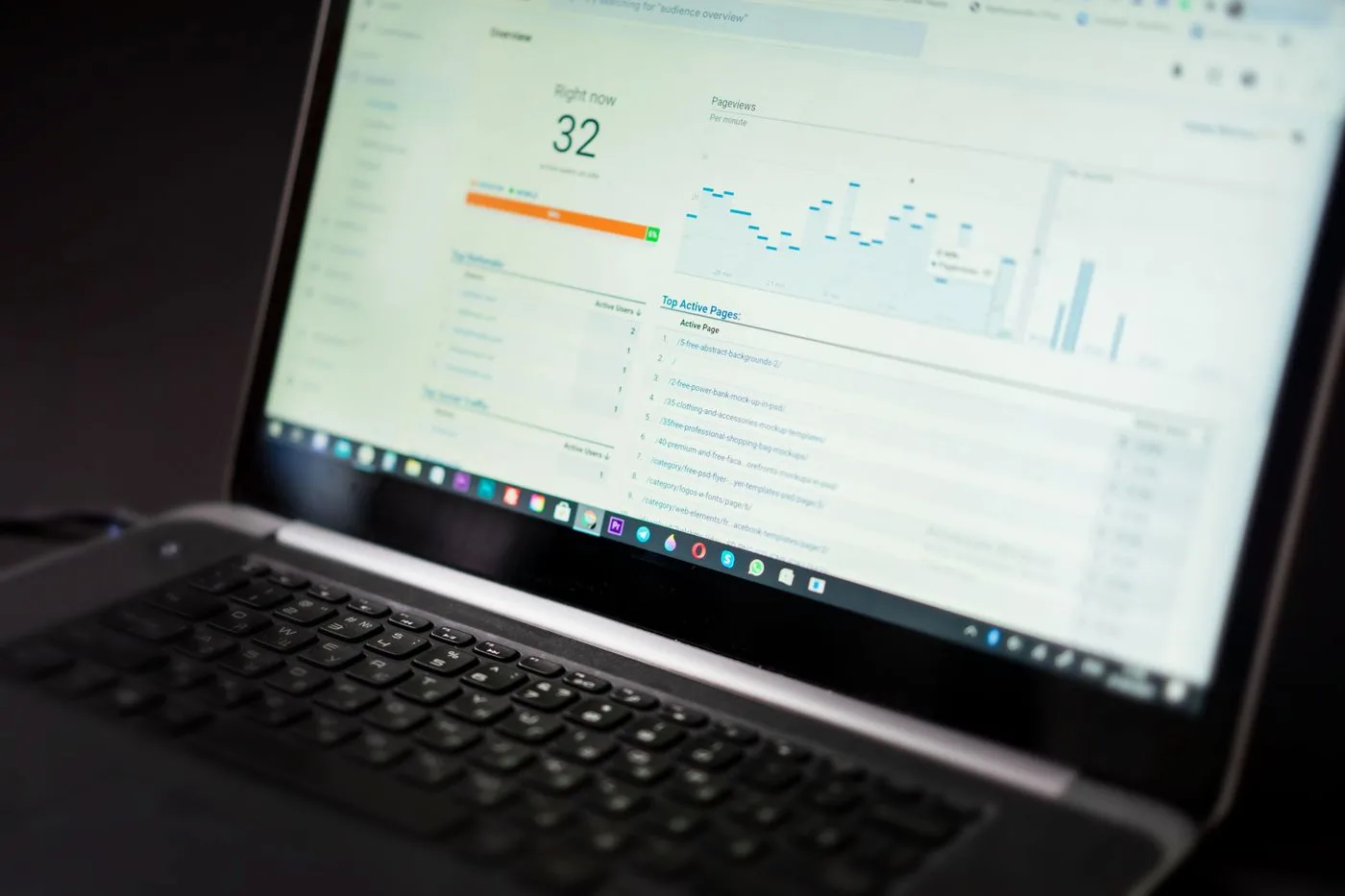
Automating reporting is among the best uses of the time you save, because most reports are assembled by hand from the same sources. Google Looker Studio can read Search Console and Google Analytics 4 directly and refresh on its own. Many SEO platforms offer scheduled reports too.
Keep it short. A report most people read has these parts:
| Section | What it shows | Why it is there |
|---|---|---|
| Visibility | Clicks and impressions from Search Console, this period against the last | Shows whether search is bringing more people |
| Pages that moved | The five pages that gained most and lost most clicks | Points the team to where to look |
| Business outcome | Enquiries, sign-ups or sales from organic search, from your analytics | Ties search to money |
| Technical health | Open issues from the weekly crawl | Shows what is waiting to be fixed |
| Next actions | Two or three lines written by a person | Turns data into a decision |
The last row is the one software should not write alone. A model can draft a plain-language summary of the numbers, and that saves time. But "traffic fell because we merged two pages in March and the redirect is wrong" comes from someone who knows what changed.
Do not let a summary stand if nobody checked the figures behind it. Models sometimes state a trend the chart does not show. If the report goes to a client or a board, read it before it leaves.
For deeper analysis than a standard dashboard, our guide to AI data analysis covers when a model can interrogate a large export and when it cannot.
What SEO work must stay human?
Strategy, claims, original knowledge and final approval must stay human. These are the parts of SEO where being wrong costs money or trust, and where the best answer depends on facts that only your business holds.
Here is what to keep with a person, and why:
- Choosing what to target. A model can list keywords. It cannot tell you which ones attract buyers rather than browsers, because it has not heard your sales calls.
- Deciding what you can claim. Every price, guarantee, result and comparison on a page is a promise. A model will happily write a confident sentence about a fact it invented.
- Original material. Your own data, case notes, product testing and customer questions are what a model cannot copy from elsewhere. They are also what makes a page worth citing.
- Final edit and publish. One named person should own what goes live. If everyone is responsible, nobody is.
- Local and cultural judgement. What a phrase means in Mumbai, Manchester, Dubai or Texas is a human call.
- Handling sensitive topics. Health, money, legal and safety pages need a qualified reviewer.
Then there is the question every searcher asks about machine-written pages: is automated content bad for SEO? Google's published guidance says it judges content by quality and usefulness, not by how it was made. Its spam policies, though, name producing large volumes of pages mainly to manipulate rankings as a violation.
A thousand thin pages generated from a keyword list falls on the wrong side of that line. A reviewed article with your own facts in it does not.
The working rule is simple. Use AI to prepare, sort and draft. Do not publish a draft nobody has read, fact-checked and improved.
For the wider picture on dividing work between people and software, see our piece on integrating AI into human workflows.
Does automation help your visibility in AI search?
Automation helps AI search visibility indirectly: it keeps your pages healthy, current and consistent, which are the conditions under which AI answers can find and quote you. It cannot produce a citation by itself. AI answer engines such as ChatGPT, Perplexity and Google's AI Overviews quote passages from pages they judge clear and trustworthy.
A citation is the link or mention an AI answer gives to a source. To earn one, a page needs a direct answer near the top of each section, a named source for every figure, and a visible date.
Three jobs here suit automation:
- Freshness checks. Schedule a monthly list of pages not updated in a set period, so a person can review them. Then update the visible date and the
dateModifiedfield in the page markup only when the content has truly changed. - Schema checks. Schema is the hidden labelling in a page's code that tells machines what it is, such as an article or a product. A crawl can confirm every page carries the right type and has no errors.
- Mention tracking. A scheduled search of the questions your buyers ask, run across AI tools, can log whether you appear and which sources are named instead.
Writing the quotable passages stays with a person. A model-written answer tends to sound like every other model-written answer, and that gives an answer engine no reason to pick yours.
If you want to see where you appear today, our AI search optimisation service covers the method in full.
Does SEO automation work differently in India, the UK, the US and the UAE?
The mechanics are the same in every market, but the human checks change. Language, spelling, currency and search habits differ, and those are the details a model glosses over.
| Market | What to automate | What a person must check |
|---|---|---|
| India | Crawls, rank tracking by city, query grouping | Hindi and regional-language queries, mixed English and Hindi phrasing, mobile experience on slower connections |
| UK | Crawls, reporting, internal link suggestions | British spelling, pounds and local terms, differences from US versions of the same page |
| US | Rank tracking by state or metro, large-scale monitoring | State-level rules and claims, US spelling and units, regional wording |
| UAE | Crawls, hreflang checks, reporting | Arabic and English versions, right-to-left layout, local business terms and offers |
Hreflang is the code that tells search engines which language or country version of a page to show to whom. A site serving the UK and the US with near-identical English needs it, and so does a UAE site in English and Arabic.
A crawl can confirm the tags exist. Only a bilingual reader can confirm the Arabic page says what the English one does.
India deserves a particular warning. Tools built mainly on US data may report search volumes and difficulty scores that do not match how Indian buyers search. Check a sample against your own Search Console data before you trust the tool's view of your market.
What does SEO automation cost, and where does it fail?
The cost of SEO automation is the tool fees plus the setup time plus the review time. Most people count only the first. We cannot quote tool prices here, because vendors change plans often, so check each vendor's current pricing page.
The failures follow a pattern:
- Noisy alerts. Too many warnings train the team to ignore them.
- Confident errors. A model gives a wrong fact in a smooth sentence, and nobody checks.
- Sameness. Pages built from the same prompt and the same results read alike, and give an AI answer no reason to prefer you.
- No owner. The automation runs, the output lands in a folder, and nobody acts on it.
- Wrong target. You automate the task you hate rather than the one that matters.
Before building anything, estimate the hours it saves against the hours it takes to build and check. Our guide to measuring AI ROI walks through that sum. If you are weighing a ready-made tool against a custom setup, see build versus buy for AI.
One note on the evidence. In a read of Google page one for "seo automation" in the US on 10 October 2026, six of the seven results were vendor pages promoting their own product, and the other was a discussion thread.
A vendor has a reason to say everything can be automated. Weigh advice, including this advice, by who gains from it.
Frequently asked questions about SEO automation
Can SEO be automated?
Parts of SEO can be automated, but not all of it. Monitoring, data collection, reporting, keyword grouping and first drafts of briefs run well on software. Strategy, claims, original research and final approval need a person, because they depend on knowledge of your customers that a tool does not have.
What SEO tasks can AI do?
AI can group search queries by topic, draft content briefs, suggest internal links, summarise reports, write first-draft page titles and descriptions, and check text for gaps against pages that already rank. It can also read a crawl export and list issues in plain language. Each output needs a person to check it before it goes live.
Is automated content bad for SEO?
Automated content is not bad for SEO by itself, but unreviewed content at scale is risky. Google's published guidance says it judges pages on quality and usefulness rather than how they were produced.
Its spam policies, however, target mass-produced pages made mainly to manipulate rankings. Reviewed, fact-checked pages with your own information are safe ground.
Can I do SEO myself?
Yes. A small business can handle the basics: set up Google Search Console, write pages that answer real customer questions, fix broken links and keep key pages current.
It takes time and steady habits more than special skill. Hire help when the work grows beyond your hours or when you enter a new market.
What are the top 5 SEO tools?
As of October 2026, five widely used tools are Google Search Console for search performance, Google Analytics 4 for what visitors do, Ahrefs and Semrush for keyword and backlink data, and Screaming Frog for site crawls. The right set depends on your budget and site size. Start with the two free Google tools before paying for anything.
Can ChatGPT do SEO?
ChatGPT can help with parts of SEO, such as drafting briefs, grouping keywords, rewriting titles and explaining a crawl report. It cannot see your live rankings, your Search Console data or your competitors' pages unless you give it that information. Treat it as a fast assistant, and have a person check every fact and claim.
Is SEO paid or free?
Organic search clicks are free, in that you do not pay Google per visit as you do with ads. The work behind them is not free.
You pay with staff time, writer and developer costs, and usually some tool subscriptions. Paid search is a separate channel where each click is billed.
Where to start on Monday
Pick one loop and automate it this week: the weekly technical check on your ten to twenty money pages. Name one owner for the alerts, run it for a month, and delete any alert that fired without needing action. Then move to reporting, then briefs, and keep every published word under a person's name.
Once your pages are healthy and current, the next question is whether AI answers actually quote you. Run the AI visibility audit to see which of your buyers' questions already mention you, and which ones name someone else.
Part of the AI Automation Guide 2026, chapter 29 of 38 (By function).

Shekhar Malhotra
Chief Content Writer
Shekhar Malhotra writes on AI in marketing, marketing automation, and content strategy at MarkAge360.
Writes aboutAI in marketingMarketing automationContent strategy



